Cards - Mobile Wallet
CardsProductivity
4.65.75K Reviews
- Version
- 4.1.11
- Installs
- 10.00M
- Age Rating
- Everyone
Screenshots
Our Review of Cards - Mobile Wallet
 Analysis by Appyee
I used to treat my wallet as a catch-all: loyalty cards behind payment cards, a gift card I had forgotten about, and the occasional pass I only needed once in a while. That made finding the right item less a matter of being organized than of remembering where I had put it. Cards - Mobile Wallet is most useful when it becomes part of a calmer routine for keeping those details together, rather than just another app to open in a hurry.
Cards is a free productivity app from Cards, with a 4.6 average from around 305,000 ratings and over 10 million installs. It is rated for everyone, and its current version is 4.1.11. The appeal is straightforward: keep digital versions of useful cards and passes close at hand. Whether that makes your day easier depends on what you carry and how reliably you maintain your collection.
Start with the wallet you actually use
Before adding anything, I’d take a minute to notice which cards I reach for in a normal week. A loyalty card used every grocery trip deserves a prominent place; a discount card from a shop I rarely visit probably does not. This small bit of sorting matters because digitizing a cluttered wallet without deciding what belongs there can simply move the clutter onto a screen.
The app’s best role is as one part of a practical productivity system: keep frequently needed card details together, retain physical items when they remain necessary, and avoid relying on memory for the rest. Cards is not a substitute for every wallet function, and I would not make it the sole home for anything whose loss would interrupt an important task.
All Your Cards in One Place
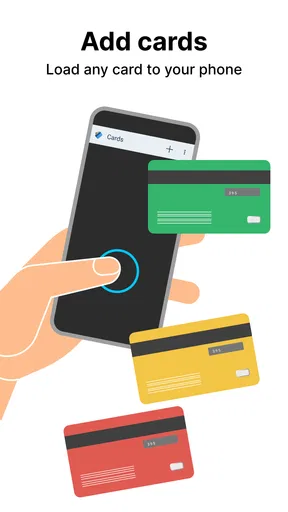
First up, let's talk about what Cards - Mobile Wallet promises. The app aims to declutter your wallet by digitizing your cards. Whether it's your credit and debit cards, loyalty cards, or even those pesky gift cards, the app claims to handle it all. So, I embarked on this digital decluttering journey and, boy, was I impressed. Setting up my account was a breeze, and I was able to add my cards in no time.
Effortless Setup and Use
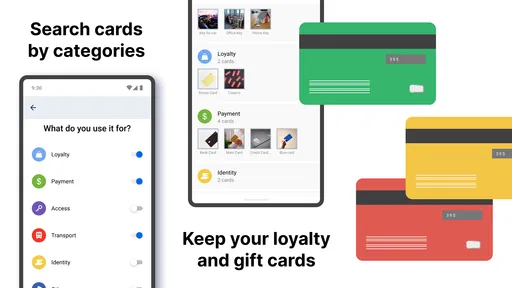
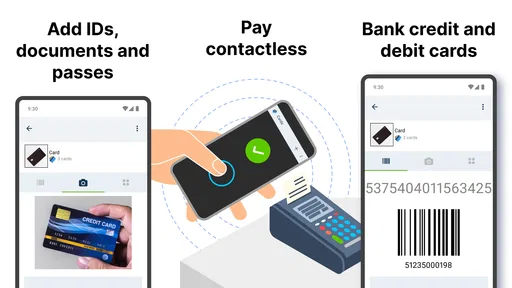
When it comes to usability, simplicity is key. The app’s interface is sleek and intuitive, which means you won't need a tech dictionary to navigate through it. Adding a card is as simple as snapping a photo or entering the details manually. The app even allows for customization, so you can color-code or label your cards for easy access. This feature is particularly handy when you're juggling multiple loyalty cards.
That simple capture process works best when I give each card a useful label as I add it. A shop name alone may not be enough if I have several cards from the same retailer or a gift card with a balance I intend to use. A short label such as “weekly groceries” or “use before next visit” makes the item easier to spot later, without turning the wallet into a complicated filing project. I’d also add cards in small batches, then check that each image or entry is legible before moving on. A quick review now is easier than discovering a blurry card while standing at a checkout.
For a realistic everyday example, imagine arriving at a supermarket and realizing the loyalty card is buried in a drawer at home. If I have already stored it and given it a clear label, I can find the right entry without searching through unrelated cards. The same habit can help with a library card before a visit or a gym membership at the entrance. The practical gain is not just fewer cards to carry; it is reducing the number of small decisions and interruptions that make ordinary errands feel disorganized.
Make the collection easy to scan
Customization is most valuable when it reflects how I look for things, not when it becomes decoration. I’d group or name entries using cues I recognize quickly: the place, the purpose, or the person who uses the card. If two entries look similar, descriptive labels can prevent a last-second guess. This is a useful distinction from a camera-roll folder full of card photos, where the image may exist but still be hard to identify at a glance.
There is a trade-off, though. Adding every card I own can create a long list that is no easier to navigate than a physical wallet. I’d begin with the cards I use regularly, then add occasional ones only when there is a clear reason to keep them handy. Every few weeks, I would remove or relabel entries that no longer help. That light maintenance keeps the app useful without turning card management into a chore.
Security First
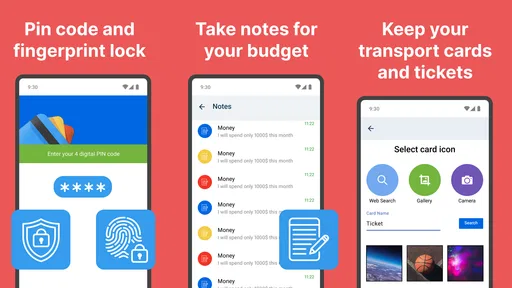
Now, let's chat about security—because, let's face it, no one wants their personal information floating around unprotected. Cards - Mobile Wallet implements top-notch security measures, including password protection and encryption, ensuring your data stays safe. Plus, the app supports biometric authentication, which means you can use your fingerprint or face recognition for an added layer of security.
Even with those protections, I would be selective about what I store and mindful of who can access my phone. A digital wallet is convenient precisely because it brings useful information together, so basic phone security and a screen lock remain sensible habits. For a card that must be presented in its original form, or for details I would not want available on a device I might lend to someone, keeping the physical version is the better call.
Another practical question is whether a digital copy can replace the original at every counter. I would not assume that it can. Some places may accept a stored card image or its details, while others may ask to scan or inspect the physical card. Keeping essential cards in the wallet until I know what a particular venue accepts avoids a frustrating surprise. I see the app as a handy backup and organizer, not a promise that every business will treat a phone display as a universal replacement.
Convenience at Your Fingertips
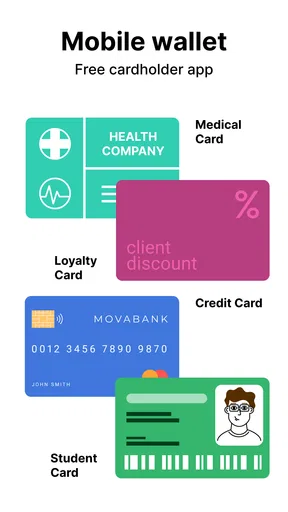
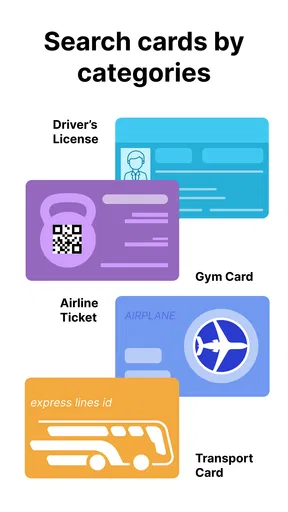
Another feature that stood out to me was the app’s ability to work offline. This means you can access your cards without being tethered to the internet. Imagine being in a store with spotty Wi-Fi—no worries, your cards are still at your fingertips. The app also supports a wide range of card types, including gym memberships and library cards, making it a comprehensive tool for digital card management.
Offline access is particularly useful when I am traveling through a large building, underground, or simply in a shop where the connection is unreliable. My advice is to open the relevant card before I reach the counter when I know I will need it. That gives me a moment to find the right entry and avoids blocking the line while I scroll. For a special trip, I’d also keep the physical pass or card if access depends on a barcode, a chip, or a staff member checking the original.
It helps to distinguish storing a card from making a payment. A digital copy can keep a membership or loyalty card available, but that is not automatically the same as paying with a bank card through a dedicated payment service. I would use the payment method a retailer supports, then bring up Cards separately if I need to show a loyalty card or membership. That separation makes the workflow more predictable and prevents me from expecting one wallet app to handle every checkout step.
Where it fits beside other wallet options
Compared with carrying a thick stack of plastic, a digital collection is lighter and easier to search, especially for cards used only occasionally. Compared with saving loose photos, clear labels and a single place to look can make retrieval less awkward. But a dedicated payment wallet may be the better choice when the main goal is contactless payment, while a physical wallet remains more dependable for places that require an original card or do not accept a digital display.
I would also avoid making Cards the only place where I keep a card I need for travel, work access, or an important appointment. A phone can run out of power, be unavailable, or be inconvenient to handle in a particular setting. The sensible setup is a split one: digitize the cards that are useful to have ready, and carry the physical essentials whose acceptance matters. That is less dramatic than going fully digital, but it is a more reliable everyday system.
Seamless Integration
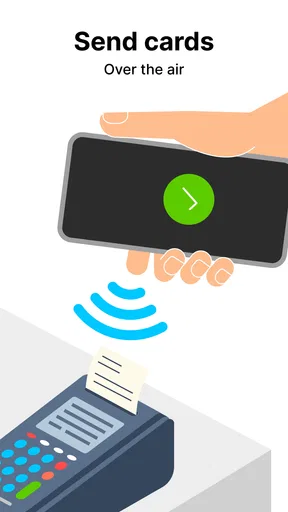
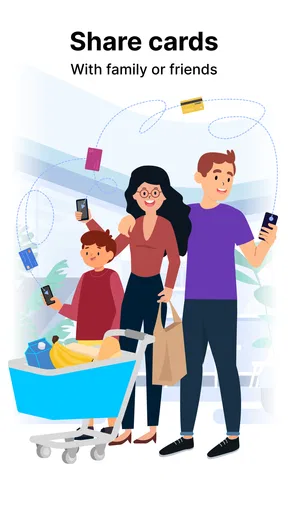
The integration with other platforms is another feather in the app's cap. It syncs smoothly with services like Google Pay and Apple Pay, allowing for a seamless payment experience. You can also share your cards with family or friends, which is perfect for those joint memberships or family loyalty discounts.
For shared use, I would agree on a simple routine with the other person: decide which card is being shared, make sure both of us can identify it, and avoid passing around sensitive information casually. Shared access can be convenient for a household membership or a family discount, but it is less useful if people are unsure who has the current version or whether a card is meant for one person only. A little coordination prevents the digital wallet from becoming another source of confusion.
When deciding whether to use it alongside a payment service, I’d keep each tool’s job clear. Use a payment wallet for the payment method it supports, and use Cards as the place to organize other useful card details and passes. That division is easier to understand than trying to force every card into one app, and it gives me a fallback when a store’s payment setup and membership scanning are handled separately.
Keeping Up with Updates
The app is regularly updated, ensuring that any bugs are swiftly dealt with and new features are added. The developers seem keen on listening to user feedback, which is always a good sign. During my time with the app, I noticed a couple of updates that improved the user interface and added more card types to the list.
For a new user, the free price makes it easy to try the basic routine before deciding whether it fits. In-app purchases range from $0.99 to $99.99 per item, so I would look carefully at what an optional purchase covers before paying and avoid assuming that every useful function is included at no cost. The app has been available since May 21, 2013, and requires Android 6.0 or later. Those details make it accessible to many Android users, but anyone considering a purchase should still check the current offer in the app and decide whether it solves a real need.
Version 4.1.11 is the current release, and the app’s broad adoption suggests that many people find a digital card organizer worthwhile. I would treat popularity as a reason to consider it, not proof that it suits every routine. The real test is whether I can find a card faster than I could in my existing wallet, card folder, or payment app—and whether I remember to keep the collection tidy enough to stay useful.
Who will get the most from it
I’d recommend trying Cards if you regularly carry loyalty cards, memberships, or passes and often leave the right one at home. It is also a sensible fit for someone who prefers to keep occasional-use cards available without carrying them every day. People who value a simple, searchable collection more than a full replacement for their physical wallet are likely to get the clearest benefit.
On the other hand, I would skip it if you rarely use cards beyond a payment method already handled by your usual wallet, or if the places you visit insist on original cards. It may also be a poor fit if you dislike maintaining digital collections or do not want card images and details gathered on your phone. In those cases, a slim physical card holder, a payment-focused wallet, or the venue’s own membership app may be more straightforward.
Final Thoughts
In a world where convenience is king, Cards - Mobile Wallet certainly makes a compelling case for going digital. It offers a simple, secure, and efficient way to manage all your cards, freeing up space in your physical wallet. While there are a few minor hiccups, like the occasional lag when loading numerous cards, the pros far outweigh the cons.
If you're like me and want to rid yourself of the bulkiness of a traditional wallet, give Cards - Mobile Wallet a try. It’s a small step towards a more organized and tech-savvy lifestyle. And who doesn't want that?
Verdict
Strengths of Cards - Mobile Wallet
- Easy setup with clear instructions.
- Supports multiple card types efficiently.
- Secure with biometric authentication.
- User-friendly interface design.
- Quick access from lock screen.
Limitations of Cards - Mobile Wallet
- Limited support for international cards.
- Occasional sync issues with certain banks.
- Ads in free version can be intrusive.
- Requires internet for most features.
- No dark mode option available.
Other Releases by Cards
View All
Drawing Pad Lite - Artbook
Art & Design4.5

Phone Mirror app - True Mirror
Beauty4.6

Ghost Detector Pro Radar
Entertainment4.6

Blood Sugar Diary for Diabetes
Medical4.5
Similar Picks in This Category
View All
Google Calendar
Google LLC4.6

Google Drive
Google LLC4.3

Google Assistant
Google LLC3.9

Microsoft OneDrive
Microsoft Corporation4.6

Samsung Calendar
Samsung Electronics Co., Ltd.4.1

Microsoft OneNote: Save Notes
Microsoft Corporation4.6
Frequently Asked Questions
What is Cards - Mobile Wallet and how does it work?
Cards - Mobile Wallet is a digital wallet app that allows users to store and manage various types of cards such as credit cards, debit cards, loyalty cards, and membership cards in one place. The app uses secure encryption to ensure safe transactions and easy access to your cards through your smartphone.
Is Cards - Mobile Wallet secure?
Yes, Cards - Mobile Wallet employs advanced security measures like encryption and biometric authentication to protect your sensitive data. The app ensures that your card details are not stored on external servers, providing an extra layer of security against unauthorized access.
Can I use Cards - Mobile Wallet for contactless payments?
Absolutely! Cards - Mobile Wallet supports NFC technology, allowing you to make contactless payments at compatible terminals. Simply tap your phone on the payment terminal to complete transactions, making payments quick and convenient.
Does Cards - Mobile Wallet support all types of cards?
While Cards - Mobile Wallet supports a wide range of cards, including credit, debit, loyalty, and membership cards, it’s essential to check the app for compatibility with specific card issuers or institutions. Some smaller or less common cards may not be supported.
Is Cards - Mobile Wallet available for both Android and iOS?
Yes, Cards - Mobile Wallet is available for download on both Android and iOS platforms. You can find the app on Google Play Store for Android devices and the Apple App Store for iOS devices, ensuring wide accessibility for users.
